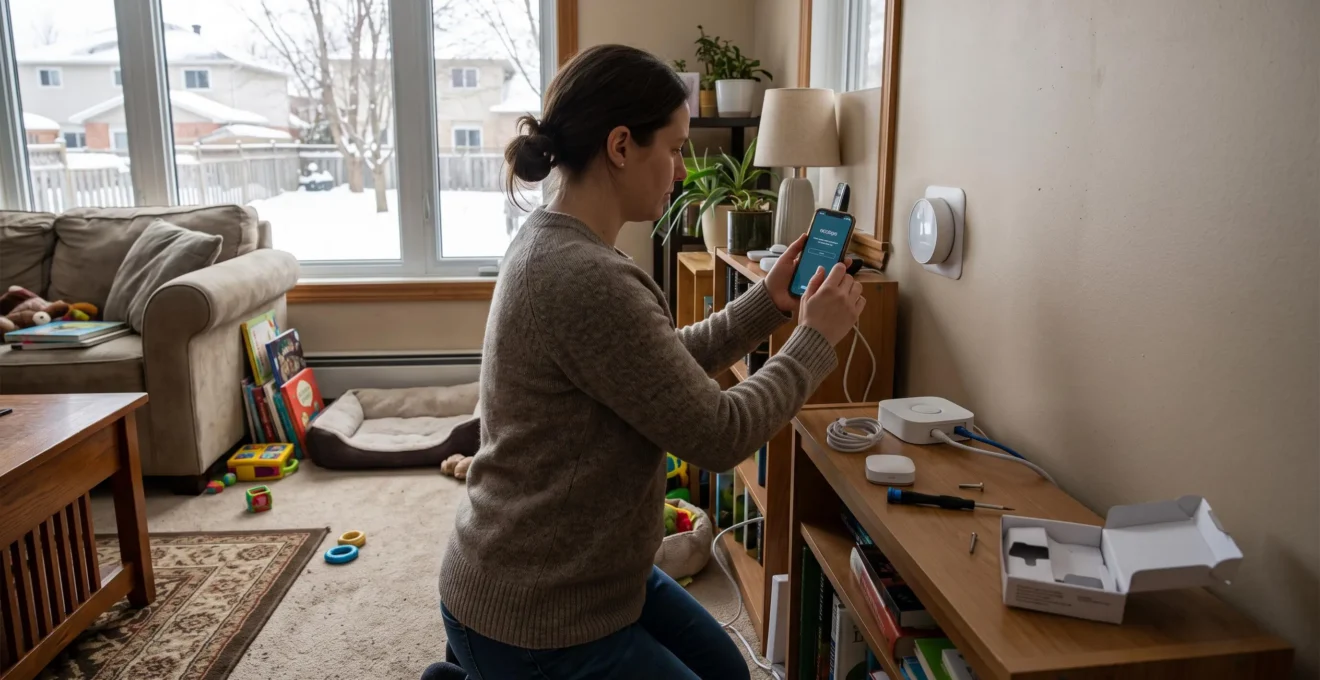
A thermostat that adjusts heating, a sensor that signals a water leak, or a camera that monitors the entryway: connected devices can simplify life in a Canadian home. But every added device also brings up issues of compatibility, cybersecurity, and long-term expenses.
To equip your home intelligently, it is better to start with the specific needs of the dwelling, check the capacity of the Wi-Fi network, and choose products that benefit from software support. The protection of personal information deserves as much attention as the features advertised on the packaging.
This approach is particularly important in Canada, where long heating periods, risks of frozen pipes, and variable climate conditions make certain equipment more useful than others. A phased installation allows you to protect the home without multiplying subscriptions, applications, and devices that are difficult to maintain.
Essentials for a secure and economical connected home
- Start with equipment that addresses a real risk or need: heating, water leaks, and access security.
- Separate connected devices from the family computer network when your router and devices allow it, then keep their software updated.
- Check compatibility, recurring costs, and the duration of software support before each new purchase.
- Why can too many smart devices slow down your Wi-Fi network?
- How to create a guest Wi-Fi network for your home automation devices?
- Matter, Zigbee, or Wi-Fi: which technology should be favored in a Canadian home?
- What risks does a connected camera that no longer receives updates present?
- Where to install smart sensors to monitor heating in winter?
- Local or cloud software: which solution suits a small business?
- How to limit noise from videoconferences in a shared living room?
- How to make your home more resistant to climate risks in Canada?
Why can too many smart devices slow down your Wi-Fi network?
A large number of connected objects can slow down Wi-Fi when the router has to manage too many simultaneous communications or when multiple devices occupy the same radio channels. Cameras, voice assistants, and sensors do not all use much data, but their cumulative activity can disrupt video calls, remote work, and browsing.
A smart light bulb generally exchanges small amounts of data, while a camera can transmit a continuous video stream. Permanent connections, notifications, updates, and radio retransmissions also strain the network. Their impact depends on the number of active devices, signal quality, and router capabilities.
In a multi-story house, distance, floors, and concrete walls can degrade reception. Distant devices then risk communicating less effectively, which can accentuate difficulties when multiple household members use the Internet simultaneously.
To identify the origin of the slowdown, a gradual check is preferable:
- Consult the list of connected devices in the router interface and identify those generating the most traffic.
- Perform connection tests at different times, particularly during videoconferences and periods when cameras are operating.
- Compare results near the router and in distant rooms to distinguish a coverage problem from general congestion.
- Temporarily disconnect some non-essential equipment and observe if performance improves.
The 2.4 GHz band generally offers better range and is often suitable for low-data sensors. The 5 GHz band offers more capacity for computers and video uses, but its range is usually more limited. The distribution remains dependent on the router’s capabilities and the bands accepted by each device.
Internet subscription speed and Wi-Fi network capacity are two different things. A faster plan will not necessarily correct a saturated router, weak signal, or radio interference. Before paying more, you must determine where the problem actually lies.
This check also helps control the budget. A thermostat compatible with the heating system, a leak detector, or an entryway camera can meet specific needs. Multiplying connected plugs and accessories without a specific use instead adds equipment to configure, monitor, and replace.
Once coverage and performance are verified, the next step is to prevent a vulnerable device from being able to freely access the other equipment in the home.
How to create a guest Wi-Fi network for your home automation devices?
To create a guest Wi-Fi network intended for connected objects, open your router settings, activate a distinct network, define a robust password, and disable access to the local network when this option exists. This separation reduces the possibilities that a compromised home automation device serves as an entry point to the computers and personal data of the household.
The principle is that of segmentation: trusted devices, such as personal computers, do not automatically share the same network environment as cameras, plugs, or other connected accessories.
The Canadian Centre for Cyber Security recommends separating Internet of Things devices from the main network. Its advice also includes replacing default passwords, applying available patches, and using additional protections for accounts.
Here is a general procedure applicable to many residential routers marketed in Canada:
- Access the router’s application or administration interface with your administrator account.
- Search for “Guest Network,” “Guest Wi-Fi” settings or, if it exists, a function dedicated to connected objects.
- Activate this network and assign it a distinct name, for example, “Home-IoT”.
- Define a long, unique password different from that of the main network, with a modern Wi-Fi security mode supported by the devices.
- Disable guest access to the local network and enable client isolation if these options are offered.
- Connect home automation accessories to the new network, then verify their operation and level of isolation.
A guest network does not automatically offer complete isolation. Some routers authorize guest devices to communicate with each other, while others only limit their access to the main network. It is therefore necessary to verify the available functions and test the restrictions actually applied.
Another difficulty: some home automation solutions use device discovery on the local network. An application installed on a phone connected to the main network may then no longer detect an accessory located on the guest network. Before purchasing equipment, verify if its configuration, local control, or integration require this direct communication.
When isolation blocks an indispensable function, a solution may consist of using a dedicated home automation network with necessary authorizations, a compatible hub, or a more advanced network configuration. Disabling any separation simply to restore a function would negate part of the sought-after protection.
Home automation network security checklist
- Inventory connected objects with their model and manufacturer: obtain a list of active equipment.
- Create a dedicated network and test its connection: keep the network name and confirmation of its operation.
- Verify access restrictions to the main network: note the result of the isolation test.
- Control passwords, updates, and account authentication: complete a verification table for each device.
- Schedule a monthly check in your calendar: keep a reminder date to check security alerts and updates.
This organization becomes simpler to maintain when the products chosen use technologies compatible with the rest of the installation.
Matter, Zigbee or Wi-Fi: which technology should be favored in a Canadian home?
In a Canadian home, Zigbee often suits low-power sensor and switch networks, while Wi-Fi remains adapted to equipment needing more bandwidth, such as cameras. Matter facilitates compatibility between ecosystems, but does not directly replace these technologies: it operates notably on Wi-Fi, Ethernet, or Thread.
The distinction is important to avoid buying devices that each require a different application or hub. Zigbee relies on a communication network adapted to many home accessories. Wi-Fi directly connects compatible equipment to the house’s wireless network. Matter instead defines a common framework allowing compatible products to work with different home automation systems.
To clarify the possibilities, here is a comparison based on the usual uses of each solution.
| Criterion | Zigbee | Wi-Fi | Matter |
|---|---|---|---|
| Adapted uses | Sensors, switches, light bulbs, and small accessories | Cameras, multimedia devices, and equipment connected to the router | Interoperability between compatible devices and platforms |
| Consumption and bandwidth | Low bandwidth and operation adapted to many battery-operated devices | Higher bandwidth, with variable consumption depending on equipment | Depends on the network technology used |
| Infrastructure | Hub or coordinator generally necessary | Compatible router or access point | Matter controller and, depending on the device, Wi-Fi, Ethernet, or Thread infrastructure |
| Compatibility | To be verified according to the hub and manufacturers | Common network connection, without guarantee of home automation interoperability | Compatible functions between participating ecosystems, under certain conditions |
The official Connectivity Standards Alliance FAQ on Matter specifies notably that Zigbee and Matter are distinct protocols. A compatible bridge may allow Zigbee equipment to participate in a Matter environment.
The “Matter compatible” mention does not guarantee all features on all platforms. The model, its software version, its controller, and the functions recognized by each application can limit the experience. Some existing devices become compatible thanks to an update, but this possibility depends on the manufacturer.
In a Canadian home, the physical environment also counts. A sensor placed in an unheated garage, near a cold window, or in a humid space may be exposed to different conditions than those in a living room. Temperature ranges, humidity requirements, and manufacturer’s conditions of use must be consulted.
To prepare for purchases, it is therefore preferable to define uses before choosing a protocol: battery-operated sensors may lead to Zigbee, a camera to Wi-Fi, and new equipment intended for several ecosystems to a Matter-certified product, provided its functions are effectively supported.
Compatibility is not, however, sufficient to guarantee security over several years. The duration of software support must also enter into the decision, particularly for cameras.
What risks does a connected camera that no longer receives updates present?
A connected camera that no longer receives security patches may retain vulnerabilities exploitable by attackers. Depending on the flaws present and network protections, this can expose home images, allow unauthorized access to certain functions, or facilitate other malicious activities. The absence of updates increases the risk without proving that the device has already been hacked.
Unlike a connected light bulb, a camera can process particularly sensitive data: images of occupants, presence habits, conversations when the microphone is activated, and information on home access.
Insufficiently protected equipment can also become a target for malicious software. The Canadian Centre for Cyber Security notably describes the possibility that compromised connected objects are used in networks of zombies, called botnets, to participate in computer attacks.
The main problem appears when the manufacturer no longer publishes patches for known flaws. It is nevertheless necessary to distinguish two situations:
- End of new features: the manufacturer stops improving the product, but may continue to distribute security patches.
- End of security support: vulnerabilities discovered subsequently risk no longer being corrected.
To evaluate an already installed camera, start by noting its model number and software version. Then consult the manufacturer’s site to search for the last update date, end-of-support announcements, and security advisories. A search in public vulnerability databases can supplement this verification.
If the security status remains uncertain, avoid assuming the product is safe. Disable unnecessary functions, particularly remote access and audio if you do not need them, and ensure that default identifiers have been replaced.
Network separation can limit certain consequences of a compromise, but it does not correct the camera’s internal flaws. When the manufacturer confirms the cessation of patches and significant vulnerabilities remain, removing from the network or replacement represents a more sustainable solution.
A device awaiting replacement can also be turned off when it is not necessary. This measure reduces its exposure during periods of non-use, without resolving the problems that reappear upon its reactivation.
Before buying a new camera, look for a clear policy on the duration of updates, the processing of recordings, remote access conditions, and any storage fees.
The same vigilance applies to smart sensors, even if their uses are often less intrusive. For winter heating, their location and the reliability of alerts become the first criteria of effectiveness.
Where to install smart sensors to monitor heating in winter?
In a Canadian home, primarily install temperature sensors in rooms exposed to heat loss, basements, areas near water pipes vulnerable to freezing, and spaces far from the main thermostat. Place them at a height representative of ambient temperature, without direct exposure to heating appliances, sunlight, or drafts.
The objective is not to measure every corner of the dwelling, but to spot abnormal cooling, a heating problem, or unusual humidity early enough.
The most useful locations depend on the building’s configuration:
- Accessible basements and crawl spaces: monitor cold zones, particularly near pipes and foundation walls.
- Rooms with large windows: check temperature variations when heat losses are significant.
- Entries and spaces adjoining a garage: observe the effects of frequent openings and temperature differences.
- Rooms far from the thermostat: compare the actual temperature with the setpoint applied to heating.
- Utility rooms: check ambient conditions around equipment, without installing a sensor in a zone prohibited by safety instructions.
A sensor located directly above an electric baseboard heater risks measuring an artificially high temperature. To understand the heating efficiency in a room, it is better to measure the air at a distance from the heat source. A complementary sensor can be used near a vulnerable zone, within the operating limits indicated by its manufacturer.
To check the measurements, let the sensors run for several days, then compare their readings to those of a reference thermometer placed in the same location. A stable deviation may justify a calibration adjustment, if this function exists, or repositioning.
Alerts must correspond to the risk being monitored. A temperature that drops abnormally in a room may suggest a heating or insulation problem. A persistent rise in humidity in a basement may prompt an investigation for infiltration, without alone allowing confirmation of the cause.
Before winter, also check batteries, radio coverage, and the effective reception of notifications. Even lithium batteries can lose some of their performance at very low temperatures. Consult the specifications of devices used in unheated zones.
To limit energy expenses, a cautious approach consists of prioritizing minimum temperature alerts and maintaining heating settings adapted to the building. General automation of all rooms is not always necessary.
Connected monitoring does not replace pipe insulation, heating maintenance, or precautions to be taken during a prolonged absence. During a power or Internet outage, remote alerts may become unavailable, depending on the installation.
The same questions of reliability, data protection, and costs arise when a home also serves as a professional workspace.
Local or cloud software: which solution suits a small business?
For a small Canadian business, cloud software can facilitate remote access, updates, and collaborative work, while a local solution offers more direct control over its infrastructure. The best choice depends on the sensitivity of the data, the reliability of the Internet connection, available technical skills, and the total cost over several years.
The question concerns notably self-employed workers and small businesses whose activity partly takes place at home. Accounting software, customer file management, or access to professional documents do not present the same requirements as a lighting control application.
Software installed locally can operate without a permanent connection to a remote provider, depending on its design. In return, the business must often take charge of updates, backup, maintenance, and equipment security.
A cloud service can reduce the initial investment and simplify access from multiple devices. It can however introduce recurring subscriptions, a dependency on the service’s availability, and contractual constraints.
| Criterion | Local software | Cloud service |
|---|---|---|
| Expenses | Initial investment, potential hardware and maintenance | Subscription and fees related to users or features |
| Internet connection | Some functions may remain accessible offline | Access generally dependent on connection and provider |
| Maintenance | Significant responsibility of the business or its provider | Part of the infrastructure is managed by the provider |
| Remote access | Additional configuration sometimes necessary | Often planned in the service |
| Data control | Depends on architecture, access, and backups | Depends notably on contract, hosting, and export mechanisms |
Personal information protection constitutes a major criterion. The document from the Privacy Commissioner of Canada on cloud computing for SMEs recalls that resorting to an external provider does not automatically make the business’s responsibilities regarding the information it collects disappear.
In Canada, obligations may notably fall under the Personal Information Protection and Electronic Documents Act (PIPEDA) or applicable provincial regimes. In Quebec, requirements stemming from Law 25 must also be taken into account depending on the organization’s situation. Choosing a provider is not sufficient, on its own, to establish compliance.
Before signing a contract, it is useful to map customer, employee, and financial data, then compare costs over three to five years. The evaluation should include licenses, maintenance, backup, support, and potential migration expenses.
The possibility of retrieving one’s data is as important as their storage. Verify export formats, termination terms, access rights, backups, and recovery procedures. An economical offer can become restrictive if changing providers is difficult.
Finally, in regions where the Internet connection is less reliable, it is relevant to verify which professional functions remain usable during a service interruption. Neither of the two architectures is automatically safer: their protection depends above all on their configuration and maintenance.
Once the digital environment is organized, the comfort of daily work also deserves special attention, notably when the living room becomes a shared videoconference space.
How to limit noise from videoconferences in a shared living room?
To limit noise from videoconferences in a shared living room, start by activating the application’s noise suppression and by using a microphone close to the mouth. Then distance the workstation from sound sources and add absorbing materials. A few targeted adjustments sometimes suffice to improve intelligibility without arranging a separate room.
Family conversations, kitchen noises, pets, and household appliances can be picked up by the microphone. Hard surfaces, such as large windows, bare walls, and floors without rugs, also favor sound reflections.
Speaking more softly does not therefore necessarily solve the problem. Above all, the microphone must clearly capture the voice while reducing the place given to surrounding sounds.
To avoid unnecessary expenses, solutions can be considered in a progressive order:
- Optimize settings: activate noise suppression, verify microphone choice, and limit sound notifications during calls.
- Improve capture: use a headset equipped with a well-positioned microphone or an adapted directional microphone.
- Reorganize the station: distance the desk from the kitchen, television, and passage areas when the layout allows it.
- Reduce reflections: add curtains, a rug, or other absorbing elements before considering acoustic panels.
An active noise-canceling headset can improve listening comfort for the person wearing it, but does not guarantee that correspondents will hear less noise. Microphone quality and voice processing functions must be verified separately.
A simple test consists of recording a short trial call, with the agreement of the participants concerned, under the usual living room conditions. By listening to the recording, it becomes easier to identify annoying noises and compare results after each modification.
Home automation can also reduce certain interruptions. A status light near the workstation can signal that a meeting is in progress. A compatible routine can temporarily disable voice assistant announcements or non-essential sound notifications from a connected speaker.
This automation must remain simple, visible, and easy to interrupt. Important alerts related to home security should not be suppressed in the same way as comfort announcements.
The same principle of proportionality applies to the overall protection of the home: technologies provide real help when they complement essential physical measures rather than replacing them.
To remember before reinforcing home protection
- Priority depends on the risks to which the building is actually exposed: freezing, infiltration, storm, outage, or fire.
- Connected equipment is mostly useful when an alert allows concrete and sufficiently rapid intervention.
- Sustainable building improvements and the continuity of safety devices come before comfort automations.
How to make your home more resistant to climate risks in Canada?
To make a Canadian home more resistant to climate risks, start by identifying dominant dangers in your region, then inspect vulnerable elements of the building. Insulation, drainage, roof maintenance, and pipe protection constitute possible priorities. Connected sensors can complement these measures by rapidly signaling certain anomalies.
Risks are not identical everywhere in Canada. Depending on the region and home location, owners and tenants may be more exposed to freeze-thaw cycles, ice storms, violent winds, spring floods, or the effects of forest fires.
A house located in a flood-prone sector for example requires particular attention to drainage, infiltration, and basement equipment. In a region regularly affected by winter storms, heating continuity and pipe freezing prevention may become priorities.
The advice from the Government of Canada for preparing your home for winter storms notably recalls the importance of insulation, sealing, and monitoring water damage. Frozen pipes can lead to bursting, with leaks sometimes difficult to detect when they occur behind walls.
A preventive inspection makes it possible to identify priority interventions:
- Examine the roof, gutters, and water evacuation around foundations.
- Verify window caulking, door sealing, and air infiltration zones.
- Control insulation of pipes exposed to cold.
- Inspect basements and signs of humidity around walls and the floor.
- Verify sump pump operation, when it exists, and intervention possibilities during an outage.
Connected objects can reinforce this approach. A leak detector near the water heater, washing machine, or in a basement can warn of unusual water presence. A temperature sensor placed near vulnerable pipes can signal concerning cooling. A compatible thermostat can help maintain a minimum setpoint adapted to the home during an absence.
These devices nevertheless present limits. A notification does not necessarily close the water supply, does not repair an infiltration, and does not prevent a pipe from freezing. Remote alarms may also depend on electricity, Internet, or an external service.
Carbon monoxide detectors must be certified and installed in accordance with applicable requirements. Their role cannot be entrusted to a simple home automation sensor not designed for occupant safety. Communicating models can provide complementary notifications, but their local alarm functions remain essential.
In the presence of a fuel generator, safety instructions are just as important: it must never operate inside a home, garage, basement, or crawl space.
To respect the budget, work can be organized progressively. Accessible interventions, such as caulking, certain detection devices, or improving pipe insulation, can be evaluated first. More significant investments, such as a roof renovation, moving vulnerable equipment, or adapted backup power, require specific planning.
Energy renovation aid programs must be verified with competent federal and provincial administrations, as their availability and criteria may evolve. The interest of a project must also be evaluated according to the building, its condition, and local risks, rather than based on unverified theoretical savings.
For a tenant, certain interventions fall under the landlord’s responsibility. Autonomous sensors and organizational measures can nevertheless contribute to better vigilance, subject to lease rules and without modifying technical installations without authorization.
The next action consists of drawing up an inventory of your home’s vulnerabilities, retaining two or three concrete priorities, then verifying which equipment can actually contribute to their monitoring. A well-thought-out connected home is not distinguished by the number of devices installed, but by their utility, security, and ability to remain simple to use on a daily basis.
Can connected objects be installed without a monthly subscription?
Yes. Some equipment offers local functions or basic services without a subscription. However, cloud video recording, detailed history, or certain advanced features may require payment. Verify features actually included in the price, offline usage possibilities, and data retention conditions.
Can home automation devices operate during an Internet outage?
Some devices can continue their local functions without Internet, notably when their automations and controllers do not depend on a remote service. Others lose remote access or certain commands. A power outage can also interrupt the router or hub. Actual operation must be verified for each installation.
Must all old connected objects be replaced to adopt Matter?
No. Some existing devices can be integrated thanks to a compatible bridge or a software update offered by their manufacturer. This possibility is not, however, universal. Before replacing functional and still secure equipment, verify its actual compatibility with the controller and functions you wish to use.
Can a landlord install a connected camera in a rented dwelling?
Conditions depend on the province, filmed location, and applicable privacy and housing rules. Installation in a common area or in a zone where other persons may be filmed demands particular vigilance. It is appropriate to verify necessary authorizations and limit capture to spaces for which installation is legitimate.
How to reduce the quantity of personal data collected by a smart home?
Favor devices whose functions respond to a real need, disable unused microphones or features, and examine data retention settings. Limit application access, protect accounts, and verify if local processing is possible. Exact collection and deletion possibilities depend on each manufacturer and its services.